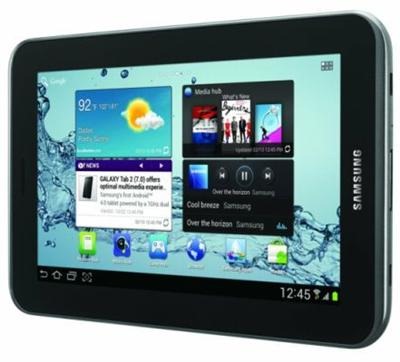
Galaxy Tab 3 7 Benchmark, Review, vs Tab 2, iPad Mini

A couple of days back, Samsung surprised the whole world by churning out the successor of Tab 2 that was destined to be released at IFA 2013. Anyway, we have the review device with us and we were lucky enough to run a few benchmarks on it to see how it compare benchmark wise to the Galaxy Tab 2.

Galaxy Tab 3 Benchmark Review

Galaxy Tab 3 7 Benchmark

As you can see, the Tab 3 7 inch scored much higher than the Tab 2, which scored mere 1165 points in GFXBench 2.5 Egypt HD C24Z16 test. However, it is evident that even the new Galaxy Tab 3 is no match for the Apple’s iPad Mini released last year that carried the processor of iPad 2, the Apple A5. The iPad Mini scored 2855 in the same benchmark test.

Continue reading Galaxy Tab 3 7 Benchmark, Review, vs Tab 2, iPad Mini

Download Galaxy Tab 8.9 ClockworkMod Recovery

To flash any sort of custom ROM like the AOSP Android 4.1 jelly bean ROM for the Galaxy tab 8.9, you need to have some sort of ClockworkMod Recovery (CWM). With the ClockworkMod Recovery, you will also be able to install myriad unofficial updates that keep popping up on XDA and sources like sammobile. Here are how you can download ClockworkMod Recovery to your Samsung Galaxy Tab 8.9 tablet.

Download Galaxy Tab 8.9 ClockworkMod Recovery

Continue reading Download Galaxy Tab 8.9 ClockworkMod Recovery

Jelly bean Galaxy Tab 2 7.0 P3100, P3113 Root

So you just upgraded your Samsung Galaxy Tab 2 7.0 to Android 4.1 jelly bean operating system but now, you have lost root access and want it back. Luckily, Chainfire has come up with a way to do that. Before following the below given steps, make sure to backup all of your data. Also, check if your tablet has 80 percent or more battery left. Enable USB debugging too by going into settings on your Tab 2 7.0. Here are the steps on how to root P3100/P3113.

Jelly bean Galaxy Tab 2 7.0 P3100, P3113 Root

Continue reading Jelly bean Galaxy Tab 2 7.0 P3100, P3113 Root